


If your organisation delivers training, you’ve probably heard the term learning management system. You might already be using one without knowing exactly what it is or whether you’re getting the most out of it.
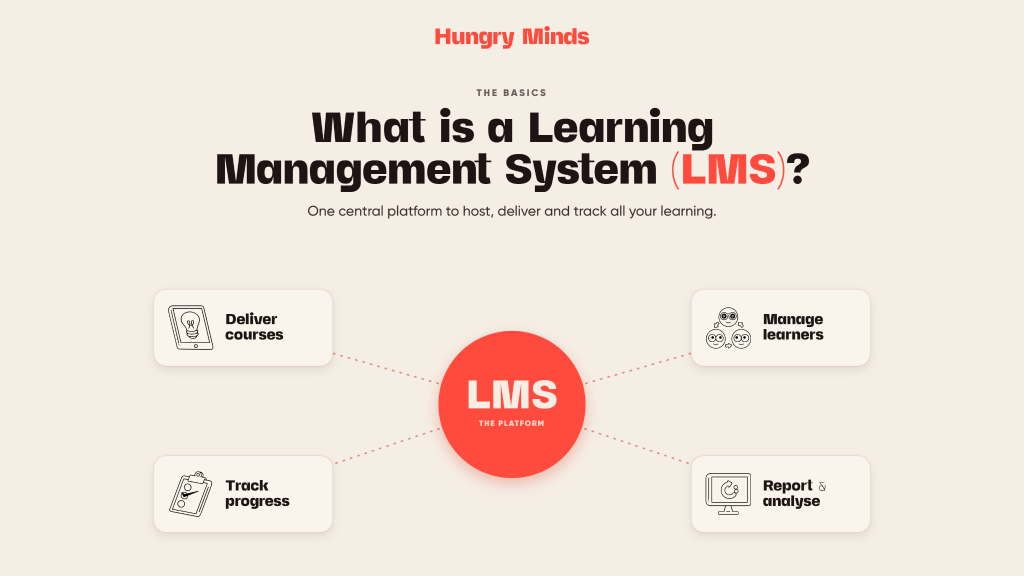
A learning management system, or LMS, is the platform that sits behind your online training. It’s where your content lives, where learners access it, and where you track who’s done what. Get it right, and your training runs itself. Get it wrong, and you’ve got a headache that no one has time for.
Here’s what you actually need to know.
What is a learning management system?
A learning management system (LMS) is a software platform designed to create, deliver, manage, and track online learning and training programs. It acts as a central hub for all of your training content, giving learners a single place to access courses and giving administrators a clear view of progress, completion, and results.
An LMS can host eLearning modules, videos, assessments, resources, and certificates. It can be accessed via a browser, a desktop application, or a mobile device. It can be configured for internal staff training, external customer education, or both.
The short version: a learning management system is how your training gets online and stays organised.
How does a learning management system work?
An LMS works by connecting three things: your content, your learners, and your data.
- Content is uploaded to the platform, usually in SCORM or xAPI format if it’s been built in an authoring tool like Rise 360 or Storyline 360. This includes interactive eLearning modules, videos, PDFs, quizzes, and assessments.
- Learners are enrolled in courses, either manually by an administrator, automatically based on their role or team, or by self-enrolment if the platform allows it. They log in, complete their training, and receive a result or certificate.
- Data is recorded automatically as learners progress through content. Completion rates, assessment scores, time spent, and pass or fail status are all captured and available in reports. This is what allows administrators and managers to see who’s compliant, who’s behind, and where learners are struggling.
What can you use an LMS for?
A learning management system is flexible enough to support a wide range of training needs. The most common uses in Australian workplaces include:
- Compliance training is one of the most common reasons organisations invest in an LMS. Mandatory training on WHS, workplace bullying, sexual harassment, privacy, and code of conduct can be delivered, tracked, and reported from a single platform.
- Onboarding programs benefit from an LMS because new starters can work through structured induction content at their own pace, with managers able to see completion in real time.
- Skills and capability development programs use an LMS to house ongoing learning pathways, allowing employees to build skills over time rather than through a single event.
- Compliance and certification tracking is where an LMS really earns its keep. Automated reminders for renewals, expiry alerts, and completion records mean you’re always audit-ready.
- External training and customer education can also be delivered through an LMS if you want to train clients, members, or the public on your products, services, or processes.
What are the key features of a learning management system?
Not all platforms are equal. Here are the core features to look for when evaluating learning management system platforms:
- Course hosting and delivery is the foundation. Your LMS needs to store and serve your training content reliably, across devices, without technical problems getting in the way.
- SCORM and xAPI compatibility ensures that content built in tools like Rise 360 or Storyline 360 works properly in your platform and reports data back correctly.
- User management lets administrators enrol, group, and manage learners. This includes setting up teams, departments, or cohorts and assigning content to the right people.
- Reporting and analytics give you visibility over completion rates, assessment scores, and learner progress. Good reporting means you can demonstrate compliance and identify capability gaps.
- Automated notifications keep learners on track without requiring manual follow-up. Reminders for upcoming deadlines, overdue courses, and certificate renewals save administrators a significant amount of time.
- Mobile responsiveness matters more than ever. Learners in distributed teams, on the road, or in the field need to be able to access training on their phone or tablet without friction.
- Certificates and credentials can be issued automatically upon completion, supporting both internal records and external compliance requirements.
What are the most common LMS platforms in Australia?
There are dozens of LMS platforms on the market, each with different strengths, pricing models, and use cases. The platforms we work with most often across Australian organisations include:
- TalentLMS is a cloud-based platform known for its clean interface, ease of setup, and strong reporting. It suits small to medium organisations and teams that want to get up and running quickly without heavy IT involvement.
- LearnWorlds is a platform built for organisations that want to sell or commercialise their training. It has strong course-building tools, payment gateway integration, and a polished learner experience. It works well for businesses that want to build an online course product alongside internal training.
- Moodle is an open-source platform with a large global user base, particularly in education and government. It’s highly customisable but requires more technical resource to set up and maintain.
- Blackboard and Canvas are common in higher education and large enterprise environments. Both are powerful but carry more complexity and cost than platforms designed for smaller teams.
- The right platform depends on your organisation’s size, budget, technical capability, and what you need the LMS to do. See our full overview of learning management systems and how to choose the right one.
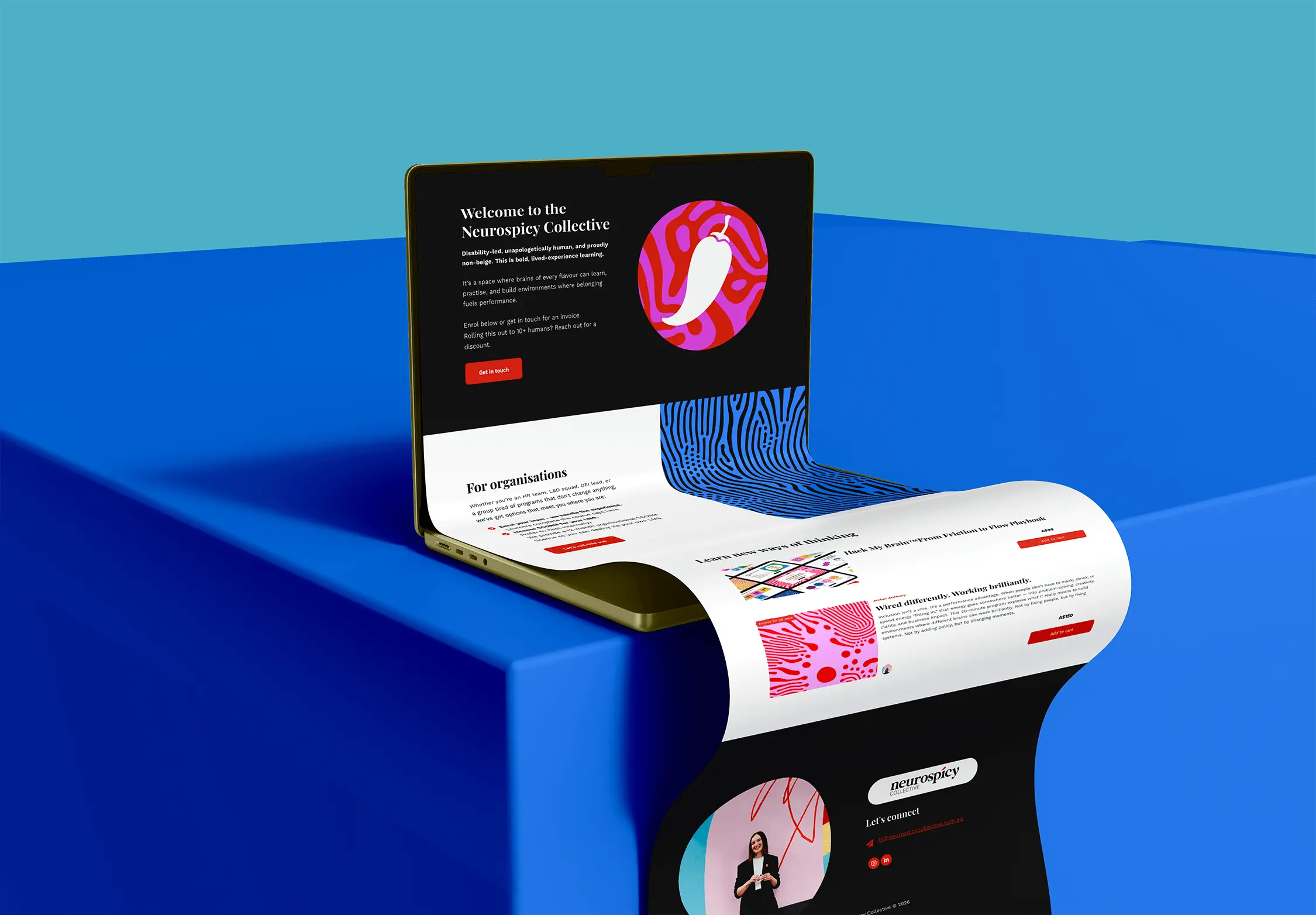
Amber’s sell-out workshops needed a platform that matched the energy of the brand and the ambition of the business. We set up and configured her LearnWorlds LMS from scratch, building in enrolment management, reporting, coupon functionality, and time-limited access so the platform was ready to trade from day one. We also set up her Credly account and designed a digital microcredential badge, giving learners something they can share to LinkedIn and giving organisations tangible evidence of their commitment to psychosocial safety. The platform supports two models: direct enrolment through LearnWorlds, and a SCORM licence option for organisations rolling out through their own LMS. Wired Differently, Working Brilliantly is live at neurospicycollective.learnworlds.com.
What is the difference between an LMS and an authoring tool?
This is a common point of confusion. An authoring tool (like Rise 360 or Storyline 360) is what you use to build your training content. An LMS is where that content is delivered and tracked.
Think of the authoring tool as the kitchen and the LMS as the restaurant. The kitchen is where the food gets made. The restaurant is where it gets served. You need both, but they do different things.
Content built in an authoring tool is typically exported as a SCORM or xAPI file and then uploaded to the LMS. This is the standard workflow for most eLearning development. To compare the options in both categories, see our best eLearning software picks.
How to choose the best learning management system for your organisation
Choosing an LMS is a significant decision. The wrong platform can cost you time, money, and learner goodwill. The right one runs in the background without anyone noticing it, because everything just works.
Here are the most important questions to ask before committing to a platform:
- How many learners do you have, and how will that change? Some platforms price per active user, others charge a flat fee. If you’re scaling quickly, pricing models matter a lot.
- What content do you need to deliver? If you have SCORM content, make sure the platform supports it properly. If you’re delivering video-heavy content, check how the platform handles media.
- Who will manage the platform? Some LMS platforms require a dedicated administrator or IT support. Others are genuinely self-serve. Be honest about the resource you have available.
- Do you need to sell training externally? If commercialisation is part of the plan, platforms like LearnWorlds are built for it. Most internal-only LMS platforms aren’t.
- What does reporting need to look like? If you’re in a regulated industry or need to demonstrate compliance to an external body, your reporting requirements might be more specific than a standard platform can handle out of the box.
- How does it integrate with your existing systems? HR platforms, payroll systems, and single sign-on (SSO) all affect how smoothly an LMS fits into your existing infrastructure.
If you’re not sure where to start, our learning strategy service includes platform selection support as part of building a complete learning infrastructure for your team.
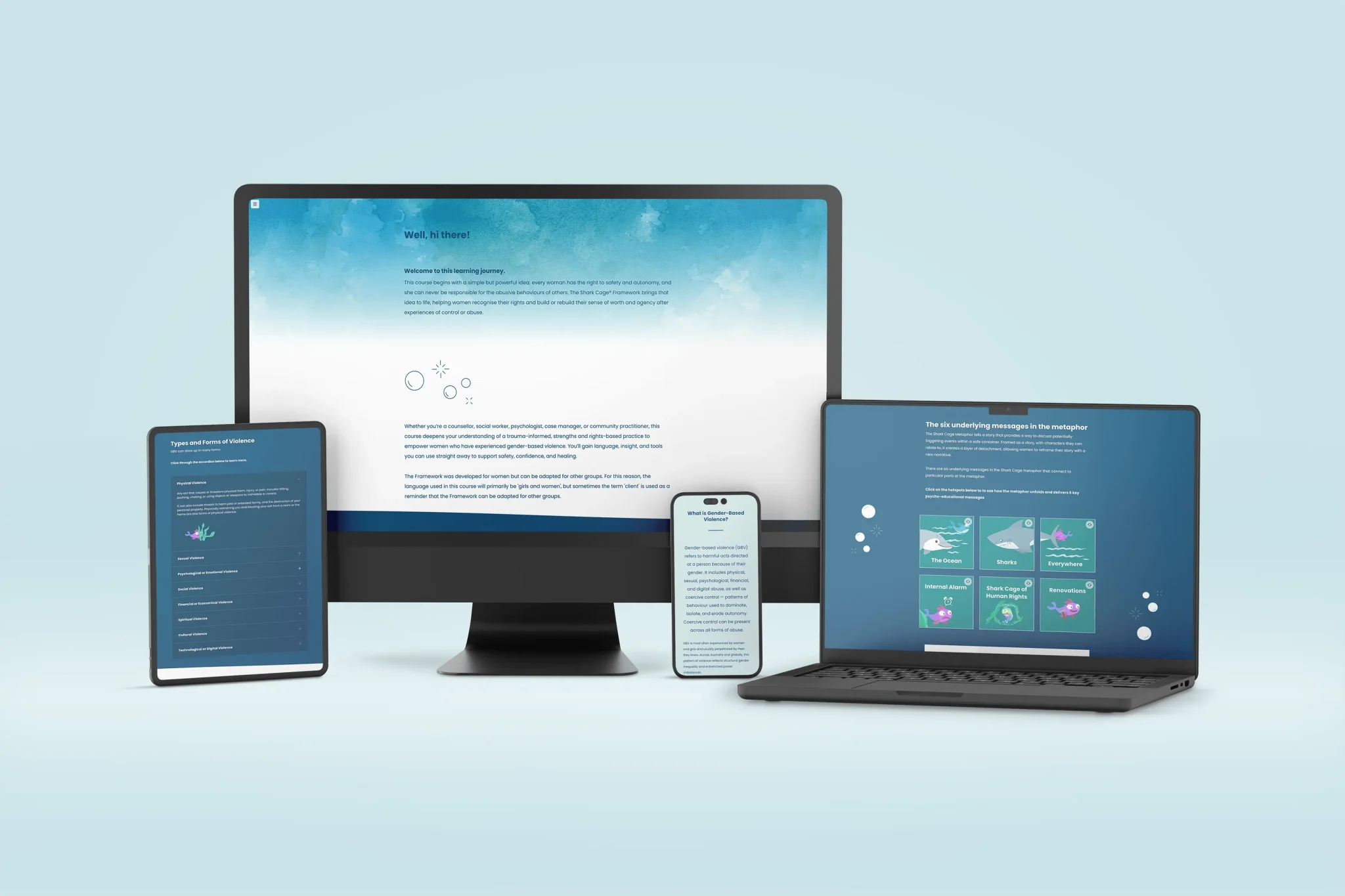
Practitioners around the world wanted access to Ursula’s Shark Cage® training. Live delivery couldn’t keep up. We set up LearnWorlds on the Pro Trainer plan, configured and branded to feel like a natural extension of The Shark Cage® itself, then loaded the full 8-hour self-paced course with completion certificates built in. Once the build was done, we handed over the keys with a proper walkthrough so Ursula could manage enrolments and platform operations herself. The course is live and globally accessible at thesharkcage.learnworlds.com.
Do you need an LMS to deliver online training?
Not always. If you’re running a small team and want to deliver a single eLearning course, you might not need a full LMS. Some organisations host content directly on a website or share downloadable files instead.
That said, once you’re managing multiple courses, multiple learners, or any compliance requirement that needs to be tracked and reported, an LMS becomes essential. The administrative overhead of tracking training manually grows quickly and is not sustainable at scale.
If you’re unsure whether you need an LMS or just need help getting your content online in the first place, take a look at how to decide between an online course and eLearning or explore our eLearning services to understand what’s actually involved.
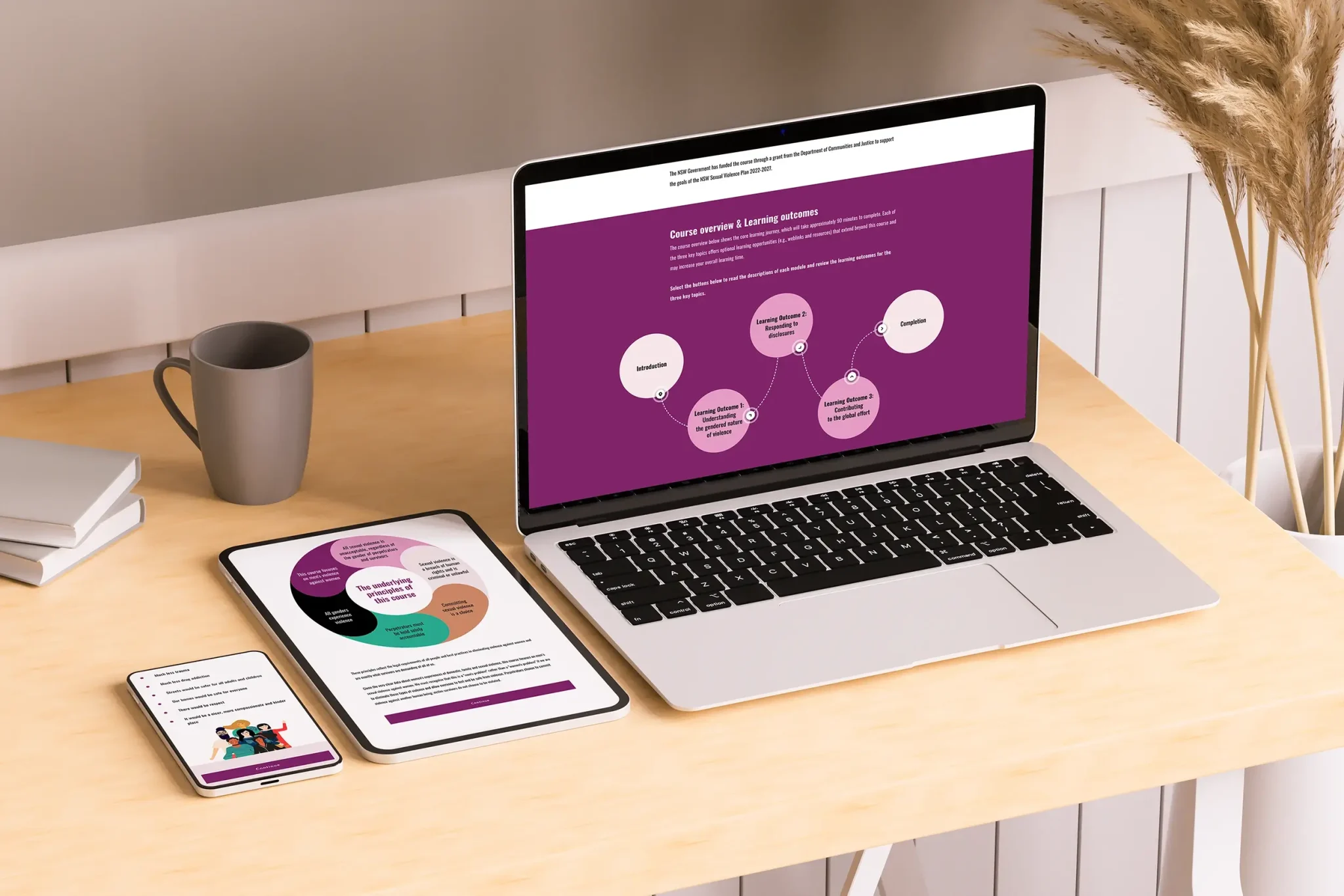
WUNH already had the training. What they needed was the infrastructure to get it out into the world. We sourced, configured, and branded a LearnWorlds platform that a lean not-for-profit team could actually manage: clean to navigate, built to WCAG accessibility standards, and ready for learners across Northern NSW to access on their own schedule.
LMS setup and support: what does getting started look like?
A lot of organisations buy or subscribe to an LMS and then underestimate how much work is involved in actually setting it up properly. The platform itself is just the container. What goes inside it, how it’s structured, who has access to what, and how it’s communicated to learners, all of that requires thoughtful design.
The things that typically need to be set up before launch include:
- Platform configuration and branding
- User roles and permissions
- Course structure and navigation
- Enrolment rules and automation
- Reporting dashboards and compliance views
- Administrator and learner training
We help organisations with all of it. If you’d rather not figure it out through trial and error, our learning design and strategy team can set you up properly from the start.
Let’s build your LMS!
Questions, answered.
The things people ask us most. Got something else? We're happy to chat.
Ask a questionYes, some LMS platforms are built specifically for this. LearnWorlds is a strong option for organisations that want to commercialise their training content alongside managing internal learning programs.
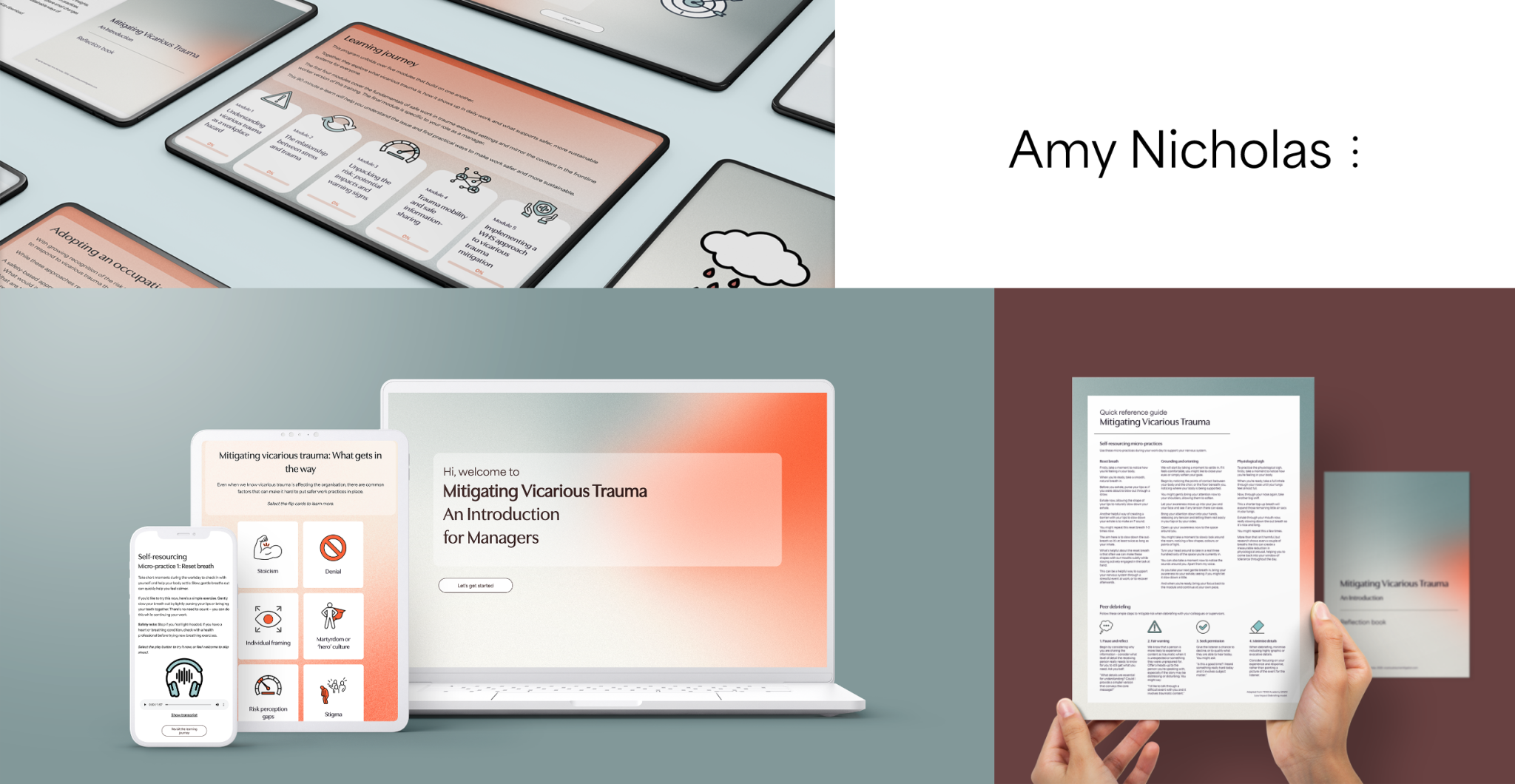
Amy Nicholas had the research, the expertise, and two courses ready to go. She needed a platform that could take them commercial. We set up and configured her LearnWorlds LMS from scratch, building it out for individual purchases, enterprise licensing, and organisational rollout. The platform launched ready for enrolments, with reporting in place and a professional finish that reflects the quality of the content behind it.
Need help setting up or choosing your LMS?
A learning management system is only as good as the content inside it and the structure around it. Getting the platform right is step one. Having well-designed training to put inside it is step two.
We help Australian organisations with both. Whether you need help selecting a platform, setting it up, building the eLearning that goes inside it, or thinking through your full learning strategy, we can help you get there without the guesswork.
Explore our eLearning services, our learning design approach, or reach out and we’ll figure out the right starting point for your team.