

Quick answer
SharePoint as an LMS works when people need guides, videos and courses at the moment of need, and nobody has to prove completion. Using SharePoint as a learning management system (LMS) has one hard limit. It can’t track scores or completions from SCORM, the standard eLearning package format. For audited compliance, external learners or certificates, pair SharePoint with an LMS.
You don’t need a booking system to make a sandwich. Plenty of organisations buy an LMS to count bums on seats. Their people want a well-stocked pantry they can reach into mid-shift. If you already run Microsoft 365, that pantry may already be in the building. SharePoint as an LMS may be all the platform you need.
Can SharePoint be used as a learning management system?
Yes, for learning that lives in the flow of work and doesn’t need a record. SharePoint gives you pages, video, documents, news and search inside the tool your staff already open every day. What it lacks is enrolment, SCORM tracking and a completion record you could hand to an auditor.
A Microsoft Q&A answer on the question puts the limit clearly. It says SharePoint “isn’t built to be a full Learning Management System”. It doesn’t natively support SCORM, so you can’t track progress, scores or completions in it. The same answer suggests using SharePoint as the hub for learning content while an LMS handles the tracking.
The useful question is whether you need to track it.
What are the benefits of SharePoint for point of need learning?
SharePoint puts learning where people already work, it’s quick to update, and it often adds no platform cost. Those gains matter most when the goal is doing the job better and the record is a nice-to-have.
- Access at the point of need. People don’t need a second login or a course catalogue. A field officer opens the procedure page, watches the two-minute video and gets on with it. Bob Mosher and Conrad Gottfredson’s five moments of need model names this. Three of its five moments, applying what you learned, solving a problem and dealing with a change, happen on the job.
- Easy to update. A page owner edits the page and it’s live. You skip republishing a course package and waiting in the LMS admin queue. When the policy changes on Monday, the hub can change on Monday.
- Often no extra licence. If your organisation already licenses Microsoft 365 with SharePoint, the hub runs on what you pay for. Your cost is the design, the build and someone to own each page.
- Ideal when tracking isn’t required. Onboarding resources, systems how-tos, leader toolkits and campaign assets rarely need an audit trail. They need to be found.
A hub is where that support lives between sessions. It’s the landing spot for the QR codes, nudges and team huddle packs in a learning campaign. It’s also the home for the job aids and quick reference guides people reach for mid-task.
SharePoint vs LMS. Which do you need?
Choose by what you have to prove. If someone outside your team will ask for evidence, you need an LMS. If people just need answers, a SharePoint hub may be enough. City of Adelaide’s program, below, needed both, with the course in the LMS and the support in the hub.
| SharePoint hub | LMS | Both together | |
|---|---|---|---|
| Records completions and scores | No, not on its own | Yes, from SCORM or xAPI packages | The LMS keeps the record |
| Where people find it | Inside the intranet they already use | A separate site with its own login | Course in the LMS, support in the hub |
| Updating content | Page owners edit pages directly | Republish the course package | Courses change rarely, the hub changes often |
| Extra platform cost | Often none if you have Microsoft 365 | A licence, often priced per user | The LMS licence only |
| Learners outside your organisation | Awkward | Built for it | The LMS serves outsiders |
| Best for | Point-of-need support, toolkits, onboarding resources | Compliance, certification, assessment | Programs with a tracked course and a long tail of support |
Our guide to learning management systems covers what an LMS does. If you land in the LMS column, our LMS service helps you find the right fit.
Here’s how I put it when clients ask me about buying a platform.
“Depending on the LMS, customers will often buy a premium LMS thinking that they will use all of the reporting functions, when often, particularly for compliance training, they just need to know whether their staff member or team member passed or failed, and often what score they got. And they need to keep that in a reliable, secure fashion, to make sure that, should they ever be called upon to show that they’d taken reasonable steps, they can produce that evidence.”
If no one will ever call on you for that evidence, the premium platform may be the wrong spend.
How do you set up SharePoint for learning? Six steps.
To use SharePoint as an LMS, treat it as a performance support site built around the jobs people do. These are the steps we follow.
- List the moments people get stuck. Ask what they search for, who they ring and what they print out.
- Give each task one page. A plain heading, a short how-to, the video or job aid, and a link to the policy. Point to the single source of truth and don’t copy documents into the hub.
- Keep everything close to home. We aim for every page to sit within three or four clicks of the home page.
- Put an owner and a review date on every page. In our experience, a page with no named owner and no review date decays inside two quarters.
- Link out to anything that needs a record. Tracked courses stay in the LMS, and the hub page sends people to them.
- Start small. Launch with the pages people need first, then add to them as questions come in.
What can a SharePoint Copilot agent do for learning?
AI makes a tidy hub more valuable, because Copilot answers from your SharePoint content. Microsoft says agents in SharePoint help users find information on SharePoint sites, pages and document libraries, and respond based on each user’s access permissions.
That turns a learning hub into something people can ask. “What’s the hold point before a project moves to delivery?” gets an answer drawn from the page you wrote.
Four limits matter.
- Licensing. Each user needs a Copilot licence, or your organisation needs pay-as-you-go billing set up. Only people with a Copilot licence can create an agent.
- Permissions. An agent answers only from content each person already has access to.
- Content quality. The answer is only as good as the pages behind it. Microsoft’s own advice on preparing SharePoint content for Copilot stresses governed, consistently organised content as a single source of truth.
- No learning record. In our view an agent doesn’t change the tracking question. It answers people’s questions and keeps no completion record you could show an auditor.
A hub designed by a learning designer, with one page per task, an owner on every page and plain headings, is that content. Our article on AI tutors and adaptive learning shows SharePoint as the source of truth for an AI tutor. Our guide to AI in learning design covers where else AI fits in a project.
What are some SharePoint LMS examples?
Here are four we’ve built, and each one made a different call about where the record lives. In all four, the hub keeps the guidance within reach after the course ends.
City of Adelaide: the course proves learning and the hub keeps it going.
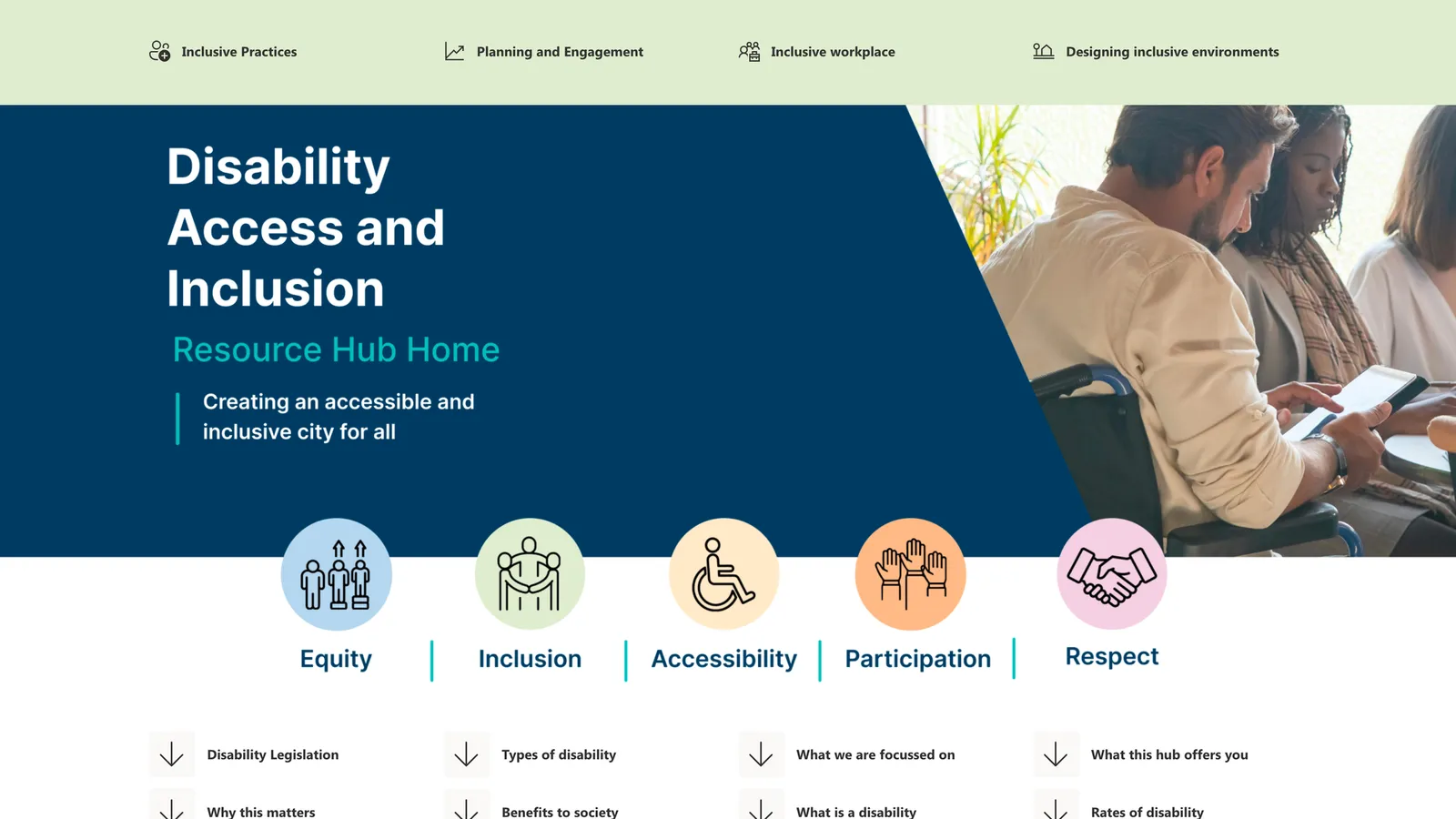
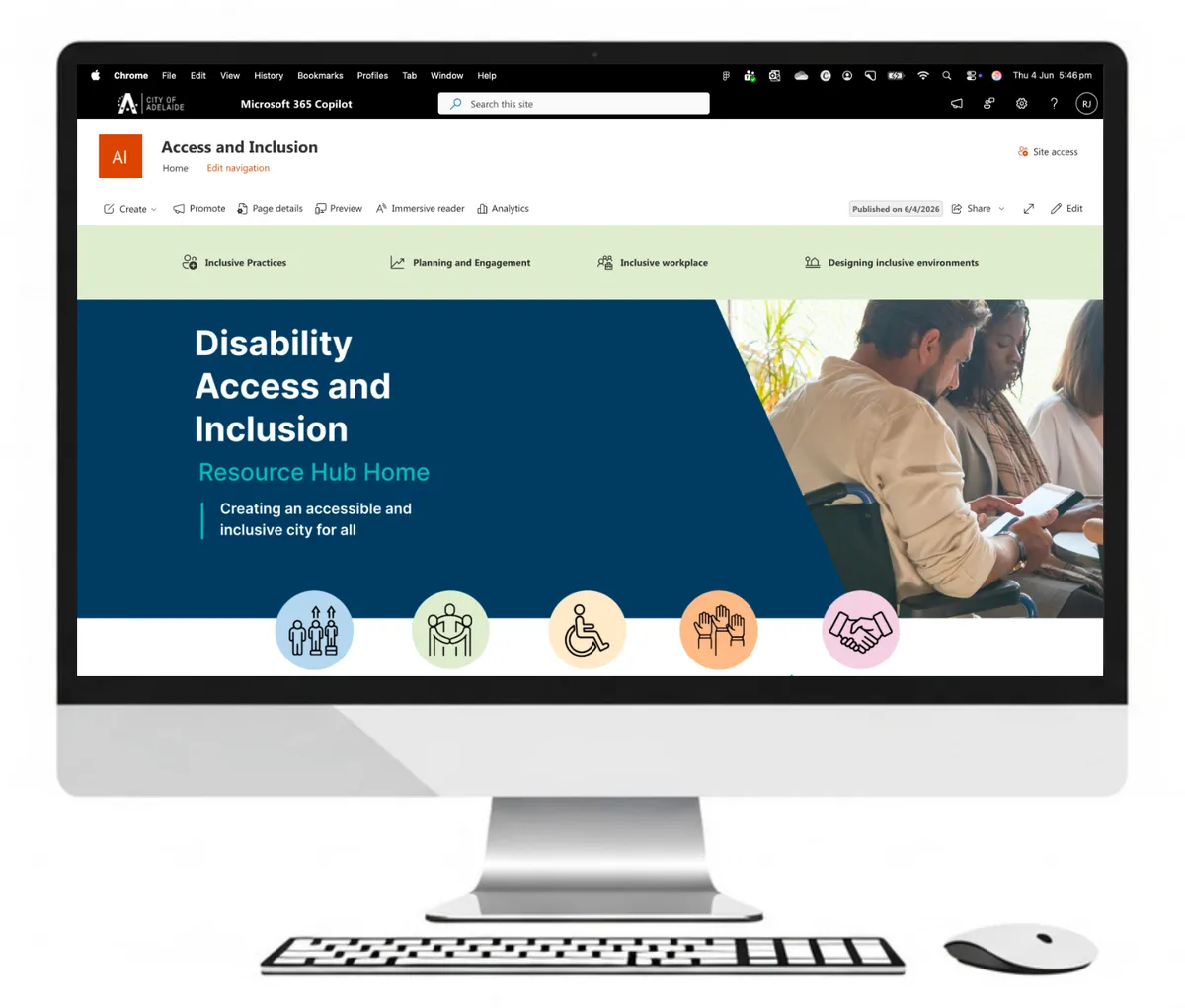
In 2026, for City of Adelaide’s disability access and inclusion program, we paired three role-specific Rise modules with a SharePoint hub. The modules sit in the City’s LMS. Each Rise lesson links to its matching hub page. Staff, volunteers and leaders go straight from the course to the guidance they’ll use at work. The whole project ran three months. Read the City of Adelaide case study.
Perth Airport built learning into the project lifecycle.
For Perth Airport’s Capital Portfolio, we put a custom-designed SharePoint QMS Hub at the centre of a quality management system rollout. Around it sit a foundations course, an interactive project lifecycle infographic and just-in-time resources. The two-month project embedded learning in SharePoint, so project teams learn the system where they use it. Read the Perth Airport case study.
Horizon Power started with three pages.
In 2024, stage one of Horizon Power’s project management program launched a SharePoint hub. It had three pages: a home page, Planview software tutorials and FAQs. It gave people across Horizon Power a place to gather. The project ran six weeks. Read the Horizon Power case study.
A state corrections agency put 49 assets in one home.
In 2025, we built a single SharePoint home for a state corrections agency’s 49-asset induction program. It was designed so new staff find the right resource at the moment they need it.
Stock the pantry first.
See how we design and build SharePoint learning hubs, then talk to us about what your people need to find.
Book a callWhen is SharePoint the wrong tool for learning?
SharePoint is the wrong tool when someone has to prove who learned what. Use an LMS, or pair one with your hub, in these four cases.
- Compliance tracking. A regulator or auditor may ask who completed which course and what they scored. SharePoint won’t keep that record. Compliance training courses belong in an LMS, with the hub linking to them.
- External learners. Customers, members, franchise partners and contractors without your work accounts are a poor fit for an intranet. An LMS or academy is built to enrol them.
- Assessments. A quiz on a SharePoint page can’t record a score against a person. Scenario-based assessment belongs in an eLearning module that reports to an LMS.
- Certification. Certificates, CPD points and microcredentials need enrolment, expiry dates and a record you can verify.
FAQs about SharePoint and LMSs.
Stock the pantry and keep the till for audits.
SharePoint can be used as an LMS for every piece of learning that has to be found more than it has to be counted. Keep an LMS for the courses someone will audit, and let a well-designed hub carry the rest.
We’ve built SharePoint learning hubs for a capital city council, an airport, a power utility and a state corrections agency. We also help you choose an LMS when you need one. Book a discovery call, or see how the City of Adelaide hub works with its eLearning first.
References.
- Gottfredson, C. and Mosher, B., The five moments of need, and Innovative Performance Support (McGraw-Hill, 2011).
- Get started with agents in SharePoint, Microsoft Learn (2026).
- Optimise SharePoint content for Copilot employee self-service, Microsoft Learn.
- Overview of Microsoft 365 learning pathways, Microsoft Learn.
- Overview of Microsoft Viva Learning, Microsoft Learn (2026).
- Add SharePoint as a learning content source for Viva Learning, Microsoft Learn.
- Apply and customise SharePoint site templates, Microsoft Support.
- Using SharePoint as a LMS?, Microsoft Q&A community answer (2025).

Michael Peart
Managing Partner, Hungry Minds
Michael Peart is Managing Partner and Senior Learning Designer at Hungry Minds, an Australian learning design consultancy. If you’ve asked us about a new program, you’ve met Michael. He turns your business goal into a sharp learning strategy, then drives it all the way to results.

